Eligibility
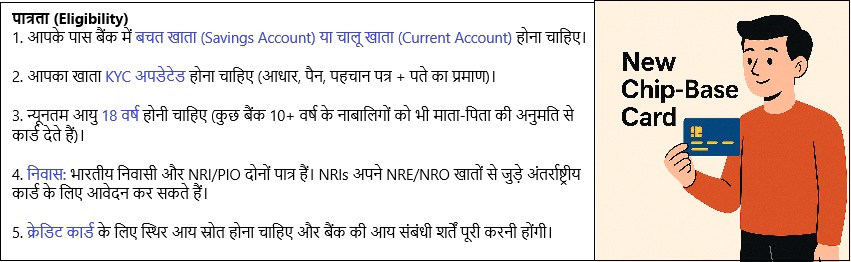
- You must have a savings or current account in the bank.
- Your account must be KYC updated (Aadhaar, PAN, ID + address proof).
- Minimum age: 18 years (some banks give minor cards from 10+ with parent’s permission).
- Residency: Both Indian residents and NRI/PIO customers are eligible. NRIs can apply for international cards linked to NRE/NRO accounts.
- For credit cards, you must have a stable income source and meet the bank’s income criteria.
 To expand image
Ways to Apply for a Chip-Based Card
1. Automatic Replacement by Bank
(If you have an old magnetic stripe card)
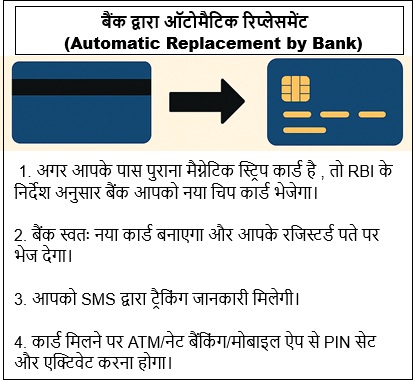
- RBI instructed all banks to replace magnetic stripe cards with chip cards.
- Your bank checks your account and automatically generates a new card.
- The card is couriered to your registered address without your request.
- You get an SMS alert with tracking details.
- On delivery, activate and set PIN through ATM, NetBanking, or Mobile App.
 To expand image
2. Apply Through Internet Banking
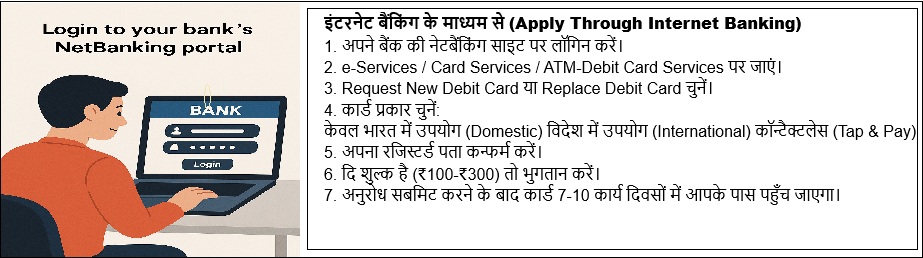
- Login to your bank’s NetBanking portal.
- Go to e-Services / Card Services / ATM-Debit Card Services.
- Select Request New Debit Card or Replace Debit Card.
- Choose card type:
- Domestic (only India)
- International (for foreign usage)
- Contactless (tap & pay)
- Confirm your registered address.
- Pay charges if applicable (₹100–₹300 for replacement).
- Submit the request.
- Bank dispatches card in 7–10 working days.
 To expand image
3. Apply Through Mobile Banking App
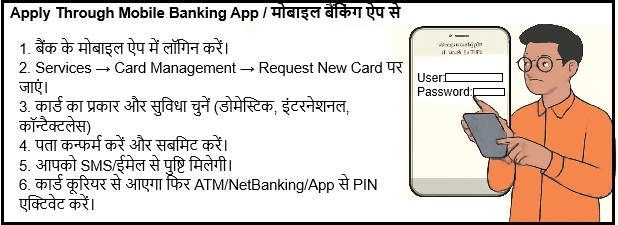
- Login to your bank’s official Mobile App.
- Tap on Services → Card Management → Request New Card.
- Select debit/credit card type and features (domestic, international, contactless).
- Confirm delivery address and submit.
- You get SMS/email confirmation.
- Card arrives by courier
- Activate via ATM / App / NetBanking.
- Card dispatched to registered address in 3–5 working days.
 To expand image
4. Apply at Bank Branch (Offline)
- Visit your home branch with account passbook and ID proof.
- Ask for the Debit Card Application Form.
- Fill in details: Account number, Name, Address, Card type.
- Attach self-attested ID proof (if asked).
- Submit form to branch staff.
- Bank verifies KYC and processes request.
- Card dispatched to registered address (usually 7–10 days).
- Collect welcome kit
- Activate PIN at ATM or online.
.jpg) To expand image
To expand image
5. Apply Through Customer Care / Phone Banking
- Call your bank’s toll-free customer care number.
Public Sector Banks
Private Sector Banks
- Authenticate with account details / PIN / OTP.
- Ask for replacement/new chip card.
- Customer care executive confirms address and submits request.
- Card dispatched to registered address.
- On receiving card, generate PIN via ATM/IVR/NetBanking.
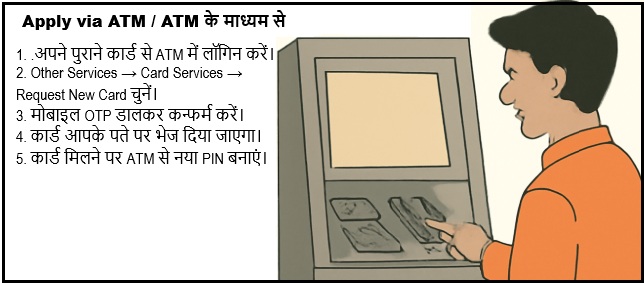
6. Apply via ATM (Available in Some Banks)
- Visit nearest ATM.
- Insert your existing ATM/debit card.
- Select Other Services → Card Services → Request New Card.
- Enter mobile OTP to confirm.
- Request gets registered → Card delivered to your address.
-
After receiving card, activate with new PIN at ATM.
 To expand image
7. Special Cases
NRI Customers
- Apply via NRI Internet Banking or call NRI helpline.
- Can also request through assigned Relationship Manager.
- Card couriered to overseas address (or Indian address if allowed).
Jan Dhan Account Holders
- Rupay EMV chip card usually issued at account opening.
- If lost/damaged, apply at branch for replacement (free or nominal charges).
After Receiving Any Card
- Open the welcome kit and check card details.
- Generate PIN:
- ATM: Insert card → Set/Change PIN → Enter OTP → Set 4-digit PIN.
- NetBanking/Mobile App: Use Generate PIN option.
- Do a test transaction (balance enquiry or small withdrawal).
- Register for SMS/email alerts for safety.


