CIBIL Report
Your CIBIL Report serves as a comprehensive record of your creditworthiness, like a financial report card. Banks and financial institutions regularly submit details of your loans and credit cards to TransUnion CIBIL. It is wise to review this report periodically, much like verifying academic transcripts for inaccuracies.
Financial institutions submit loan and credit card account information to TransUnion CIBIL on a monthly basis. These updates are typically reflected in your report within 15-30 days. As a result, recent EMI payments or credit card transactions may not appear immediately.
How To Obtain Latest CIBIL Report
- Visit Official Website of CIBIL .
- Login or Register to your account.
- Download the PDF version for detailed review
Types of Mistakes
During your review, examine the following areas for mistakes:
- Incorrect Profile Information:
- Name, date of birth, or gender mismatches.
- Invalid PAN, Aadhaar, email address, or phone numbers
- Inaccurate Account Details:
- Missing payment records, Incorrect outstanding balances
- Closed accounts displayed as active, Duplicate account listings
- Unfamiliar Enquiries:
- Hard enquiries from loan or credit card applications you did not initiate
- Unknown accounts appearing on your report
How to Correct Mistakes
TransUnion CIBIL provides a free dispute mechanism for reported inaccuracies.
1. Raise a dispute online
 Note: You can usually raise a dispute only if your report is not older than 60 days.
- Visit Official Website of CIBIL .
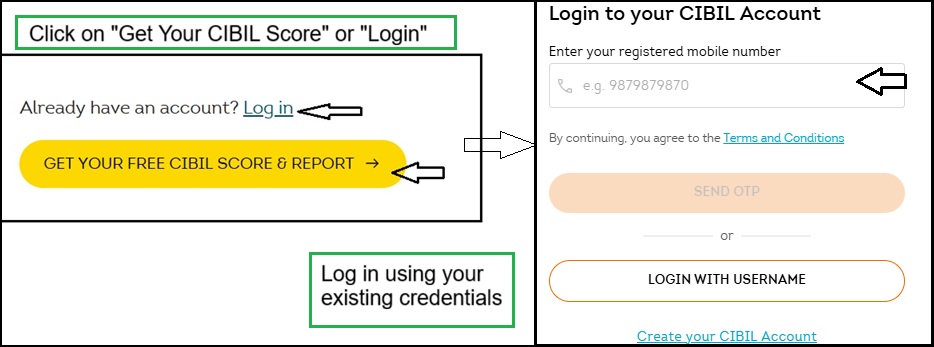
- Click on "Get Your CIBIL Score" or "Login"
- Log in using your existing credentials
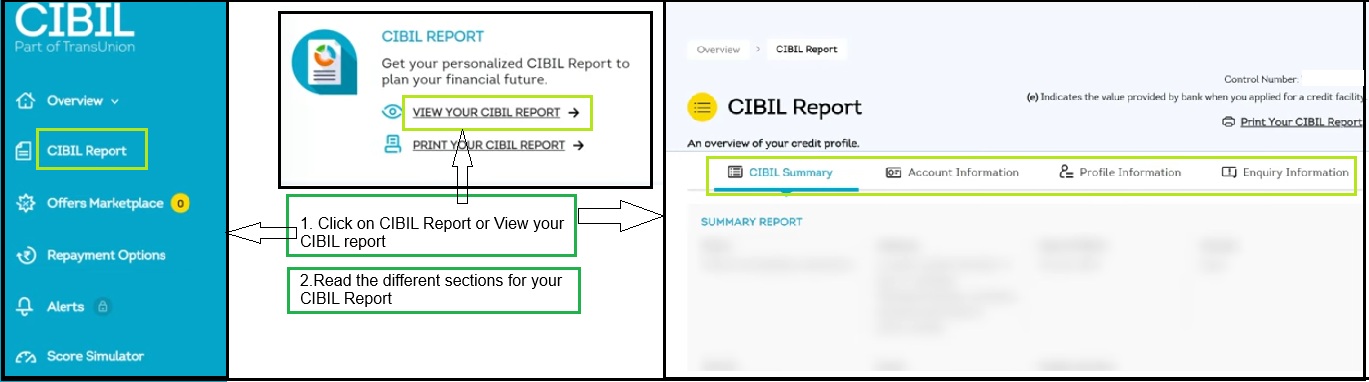
- Click on CIBIL Report
- Read the different sections for your CIBIL Report
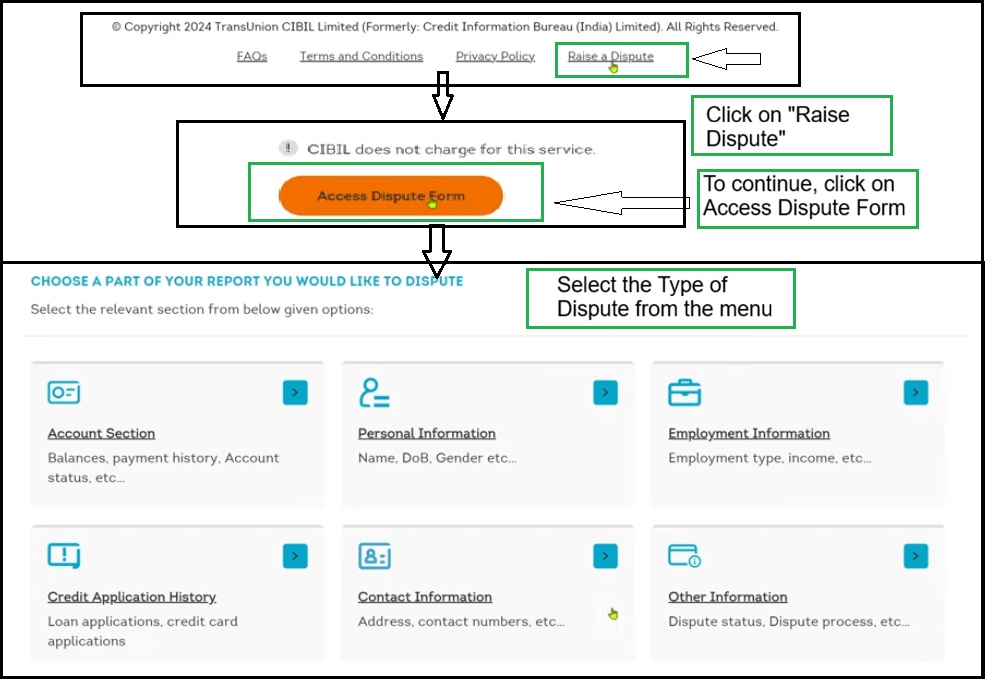
- Click on "Raise Dispute"
, which is at the bottom of the page.
- To continue, click on Access Dispute Form
- Select the Type of Dispute (like:Account Section, Personal Information, Employment Information, etc)
- Account Section: For Balances, payment history, account status, etc.
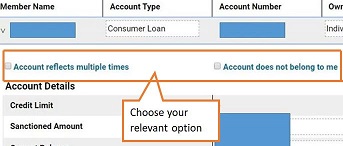
- To initiate a dispute for Account does not belong to you or Account is reflecting multiple times then click on the "< " symbol it will open your account information.
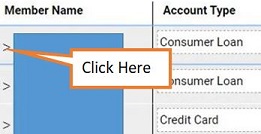 .
.
- Select the checkbox corresponding to the relevant account. If you want to change any of the information you need to just need to enter the right information to the relevant box.
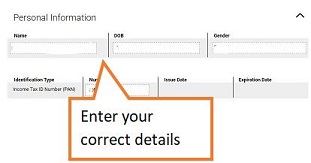
- Personal Information: For Name, date of birth, gender, etc.
- If you want to update your personal details then you need to click on "Personal Information", then enter your updated details.
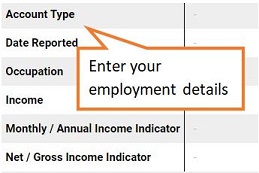
- Employment Information: Employment type, income, etc.
- If you want to update your employment details then you can click on "Employment Information" and then enter your employment details.
- Credit Application History: For Loan applications, credit card applications, etc.
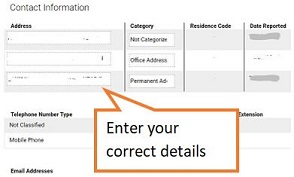
- Contact Information: Address, contact information etc.
- If you want to update your contact information then you need to click on "Contact Information" button.
- Other Information: For Dispute status, Dispute process, etc.
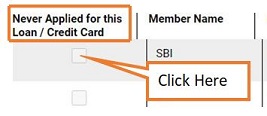
- In the "Enquiry Information" you will get the list of lenders that have checked your CIBIL report at the time of receiving your application for the loan if you found a bank that you have never approach for loan then you can mark tick on "Box" in front of the name of the bank.
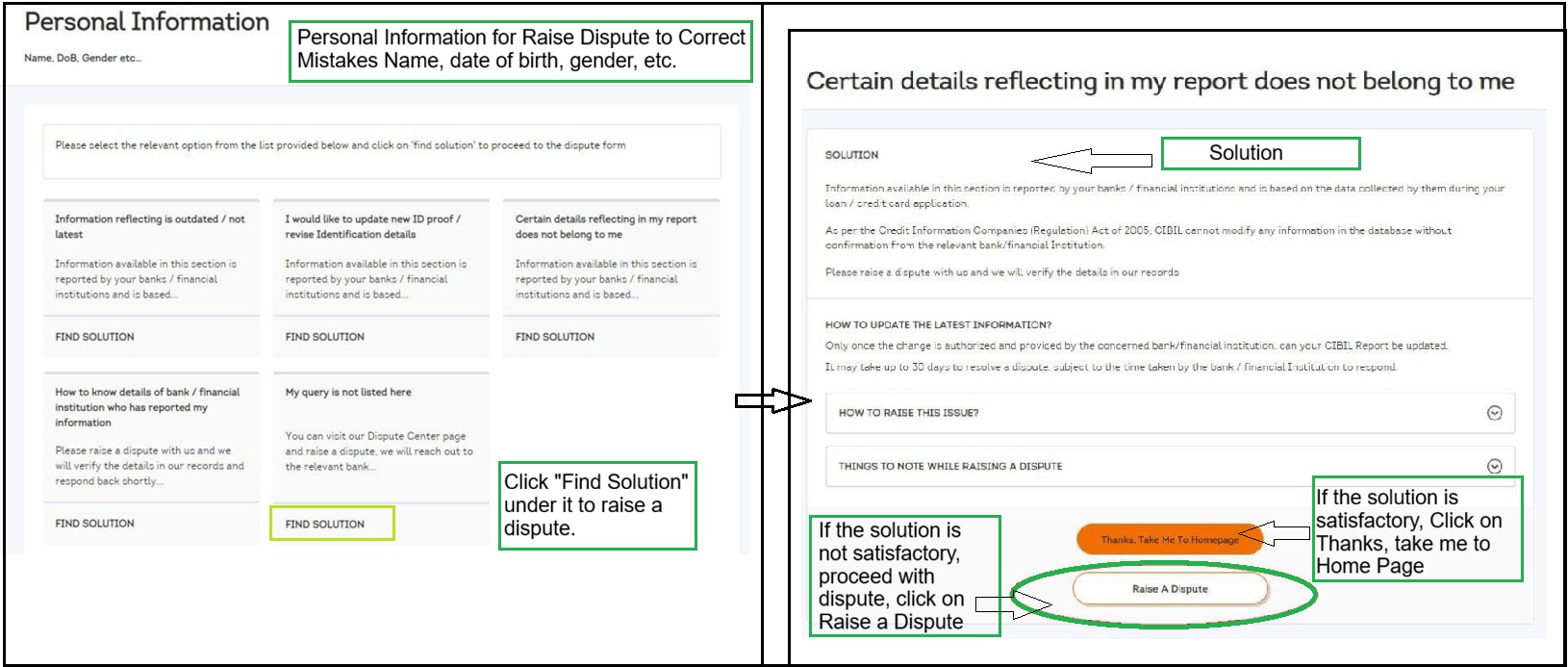
- Click on "Find Solution", under the dispute type.
- Choose the part of report you want to dispute.
- If the solution is satisfactory, Click on Thanks, take me to Home Page
- If the solution is not satisfactory, proceed with dispute by clicking "Raise a Dispute" button .
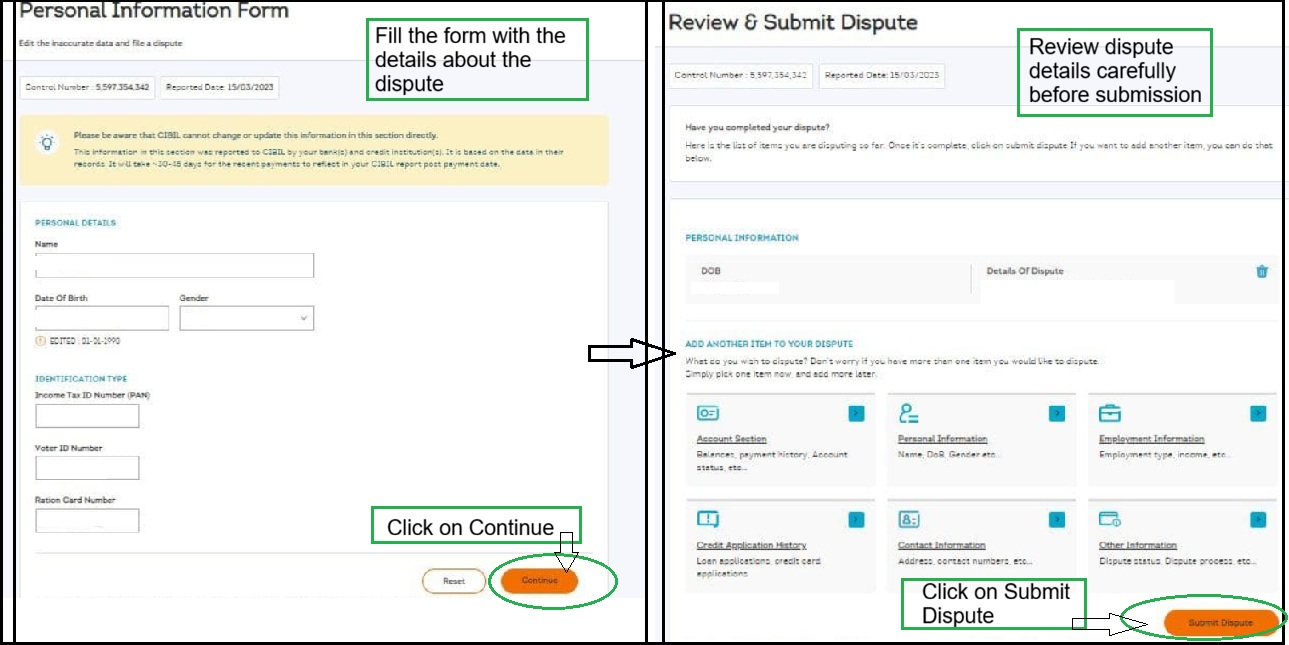
- Fill the form with the details about the dispute and click on Continue
- Review dispute details carefully before submission
- Click on Submit Dispute
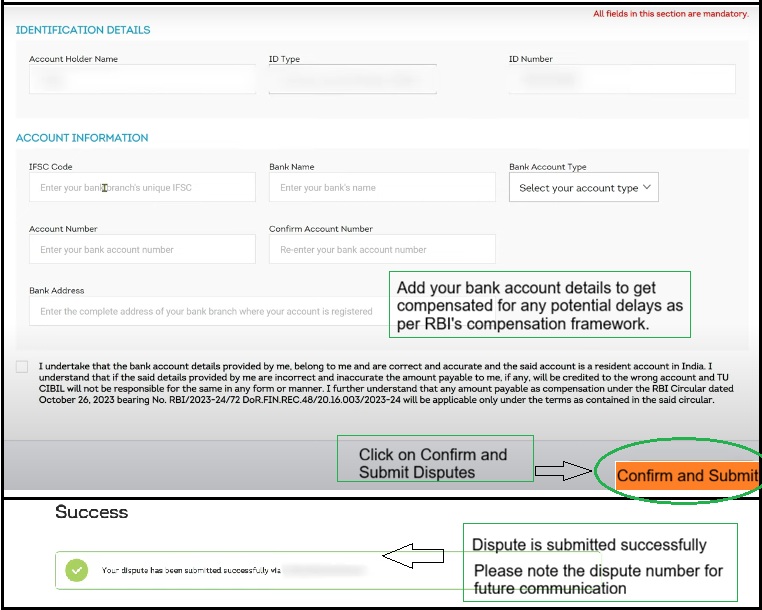
- Add your bank account details to get compensated for any potential delays as per RBI's compensation framework.
- Click on Confirm and Submit Disputes
- Dispute is submitted successfully
- Please note the dispute number for future communication
- Once submitted, TransUnion CIBIL forwards the dispute to the concerned bank or financial institution for verification. Corrections are made only after lender confirmation.
- Tracking Your Dispute Status:
- Go to Dispute Center,
- Click on "Status of Dispute" This section shows:
- Dispute Reference Number
- Date of dispute raised
- Type of dispute (personal details / account details)
- Current status of dispute
- If you require further assistance, you may submit your query using this " Form ", Please allow up to two working days for a response.
2. Alternate Ways to Raise a CIBIL Dispute
By Email Method:
- You may mail at CIBILinfo [at] transunion [dot] com .
- Note : Please mention your Name, Date of Birth, Gender, Contact Number, Identifier details (PAN, Driving Licence, Voter ID etc.) and Complete Address (Permanent/Residence) .
- Supporting documents must be clear and self-attested for faster resolution.
By Customer Service:
- Raise a dispute by calling customer service at 022-61404300 (Mon-Sat, 10am-6pm)
By Visiting CIBIL Office :
- Office Address:
TransUnion CIBIL Limited
One World Centre, Tower 2A, 19th Floor
Senapati Bapat Marg, Elphinstone Road
Mumbai - 400013
- Visiting Timings: Monday to Friday, 10:00 AM to 6:00 PM
- Carry the original and photocopy of any one of the following ID proofs: PAN Card, Passport, Driving Licence, Voter ID.
Dispute Redressal
Level 1:
- If you notice any mistake in your CIBIL Report , you can raise a dispute with TransUnion CIBIL.
Level 2:
- If you are not satisfied with the solution or resolution provided at level 1, then you can contact to Nodal Officer using the details given below:
Email: nodalofficer [at] transunion [dot] com
- You can also raise your complaint online through this Form .
Level 3:
- If you are not satisfied with the solution or resolution provided by the Nodal Officer, then you can escalate your concern to Principal Nodal Officer at the details given below:
Email: pnooffice [at] transunion [dot] com
- You can also raise your complaint online through this Form .
Level 4:
CIBIL Dispute Resolution Process
- Once you submit the online dispute form, the disputed fields are marked as "Under Dispute".
- TransUnion CIBIL then coordinates with the lender based on the dispute type.
- The lender may accept or reject it:
- If Accepted: Changes are applied, and the "Under Dispute" label is removed.
- If Rejected: The original details remain, with an explanation provided.
- Resolution typically takes up to 30 days (21 days by the lender and 9 days by CIBIL), per RBI guidelines.
Note:-You will receive an automated email notification regarding the status of your dispute every 7 days.
Important Point to Remember
- As per RBI circular dated 26 October 2023, disputes must be resolved within 30 calendar days
- 21 days by the bank/financial institution and 9 days by CIBIL .
- If the dispute is not resolved within this timeline, the consumer is entitled to ₹100 per day of delay, payable by the bank or CIBIL, as applicable.
- Bank account details are collected at the time of dispute submission to enable compensation.


