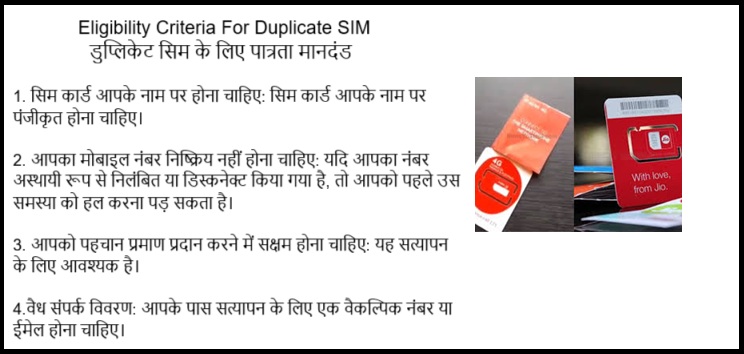
1. Eligibility Criteria For Duplicate SIM:
The number must be in your name: The SIM card should be registered under your name.
Your mobile number should not be barred: If your number has been temporarily suspended or disconnected, you may need to resolve that issue first.
You should be able to provide proof of identity: This is necessary for verification.
Valid contact details: You should have a secondary number or email for verification.
To expand image
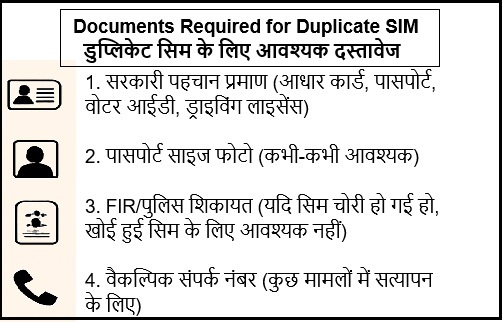
2. Documents Required For Duplicate SIM
Government-issued ID (Aadhaar card, Passport, Voter ID, Driver's License)
Passport-size photo (sometimes required)
FIR/Police Complaint (if the SIM was stolen, not required for lost SIM)
Alternative Contact Number (for verification, in some cases)
To expand image
3. Before Getting a Duplicate SIM:
Inform Your Provider:
Call customer care or visit the store to report your SIM lost or stolen.
Airtel: 121, Jio: 199, Vi: 199, BSNL: 1503
Block the Lost SIM (Optional but Recommended):
Request your provider to block the lost SIM temporarily to avoid misuse
Gather Required Documents:
Keep a government-issued ID (Aadhaar, passport, etc.) ready for verification.
Have a passport-size photo if required.
Prepare Alternate Contact:
Have another phone or email to receive verification codes.
4. Ways to Obtain a Duplicate SIM
You can request a duplicate SIM card in three main ways: In-store, via customer care, and via the telecom provider's app or website.
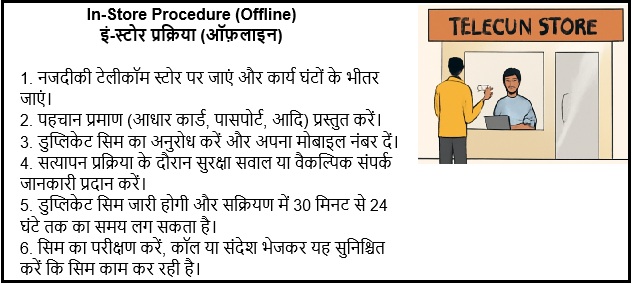
1. In-Store Procedure (Offline)
Visit the Nearest Telecom Store:
Locate the nearest store of your telecom provider (Airtel, Jio, Vi, BSNL, etc.).
Visit during working hours.
Provide Identity Proof:
Submit a government-issued ID proof (Aadhaar card, passport, voter ID, etc.).
Some providers may ask for a passport-size photograph.
Request Duplicate SIM:
Inform the store agent that you've lost your SIM and need a duplicate one.
Provide your mobile number (the one you wish to get replaced).
Complete any forms if required.
Verification Process:
The store will verify your identity and check the details linked to your mobile number.
You may be asked to answer security questions or provide alternate contact information.
Duplicate SIM Issuance:
After the verification process, the store will issue a new SIM card with the same number.
Activate the SIM: Activation can take anywhere from 30 minutes to 24 hours depending on the provider.
Test the SIM: Once activated, test the SIM by making a call or sending a message to ensure it works.
To expand image
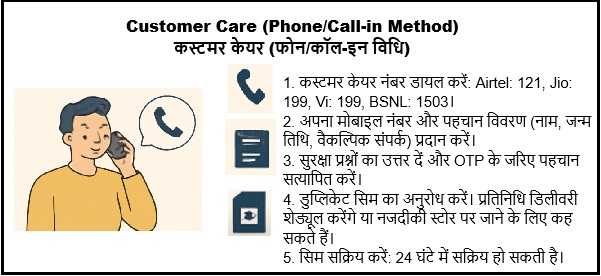
2. Customer Care (Phone/Call-in Method)
Call the Customer Care:
Dial the customer care number: Airtel: 121, Jio: 199 Vi: 199, BSNL: 1503
Select the option to speak to a customer care representative or follow the IVR instructions for "SIM replacement.
Provide the Details
Confirm your mobile number
Provide identity verification details such as your full name, date of birth, and alternate contact number.
Mention the reason for requesting a duplicate SIM (e.g., lost or damaged).
Verification and Security Questions:
Answer any security questions the representative may ask.
You may need to confirm your identity using an OTP sent to your registered email or another linked number.
Request for Duplicate SIM:
Once your identity is confirmed, request a duplicate SIM card.
The representative will either schedule a delivery or instruct you to visit the nearest store.
Activation of SIM:
Once you receive the duplicate SIM, activate it by inserting it into your phone.
Activation may take up to 24 hours.
To expand image
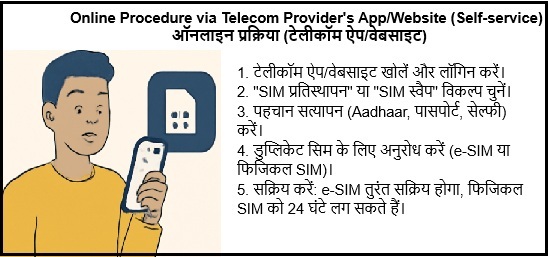
3. Online Procedure via Telecom Provider's App/Website (Self-service)
Open the Telecom Provider's App or Website:
Download the telecom provider's official app (Airtel Thanks, Jio, Vi, etc.) or visit their official website.
Log in using your registered phone number or user ID.
Navigate to "SIM Replacement" or "SIM Swap":
Find the SIM swap or duplicate SIM option under the account settings or customer service section
Some telecom providers may label it as "e-SIM Activation" or "SIM Replacement".
Complete the Identity Verification:
The app will ask for identity verification (Aadhaar, passport, etc.).
You may be required to take a selfie or provide a KYC document.
Submit the Request:
After completing the verification, submit the request for the duplicate SIM.
You may be asked to choose between receiving an e-SIM or a physical SIM.
Activate Your Duplicate SIM:
If you opt for e-SIM, you will receive an activation QR code to scan.
If you opt for a physical SIM, you will be required to pick it up from the nearest store, or the telecom provider will deliver it to your address.
Activation: The e-SIM will be activated immediately, while physical SIM activation may take up to 24 hours.
To expand image
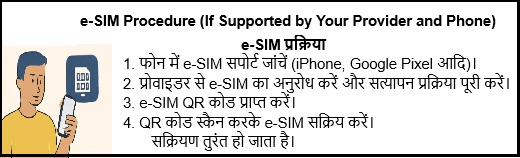
4. e-SIM Procedure (If Supported by Your Provider and Phone)
Some telecom providers allow users to get an e-SIM instead of a physical SIM, This is convenient for users who have smartphones that support e-SIM functionality.
Check if Your Phone Supports e-SIM:
Ensure your smartphone supports e-SIM (most recent iPhones, some Android models like Google Pixel support it).
Request e-SIM from the Provider:
Go to the telecom provider's app or website, and select the "e-SIM" option for SIM replacement.
Follow the verification process (KYC documents, OTP, etc.).
Receive e-SIM QR Code:
Once your request is processed, you'll receive a QR code from the provider.
Activate e-SIM:
Open your phone's mobile network settings, select Add Mobile Plan, and scan the QR code.
Follow the prompts to complete the e-SIM activation.
Activation is usually instant.
To expand image
5. After Getting the Duplicate SIM:
Activate the SIM:
Insert the new SIM into your phone.
Wait for activation (may take up to 24 hours, but usually quicker for e-SIM).
Test the SIM:
Make a call, send a text, or check internet connectivity to ensure it works.
Notify Important Contacts:
If you were using the old number for any important accounts (banking, social media), update it if necessary.
Monitor for Misuse:
Keep an eye on any suspicious activity linked to your lost SIM or number.
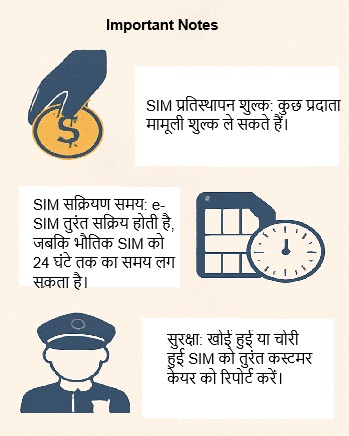
Important Notes:
SIM Replacement Charges: Some providers may charge a nominal fee for a duplicate SIM, depending on your plan and reason for replacement.
SIM Activation Time: While e-SIM is usually activated instantly, physical SIM replacement may take up to 24 hours.
Safety: Always ensure that your phone number is not misused by reporting a lost or stolen SIM card to customer care immediately.
To expand image