Email
- pgrs [dot] lg [at] punjab [dot] gov [dot] in (For General Support)
How To Register on mSeva Portal
- Go to mSeva register .
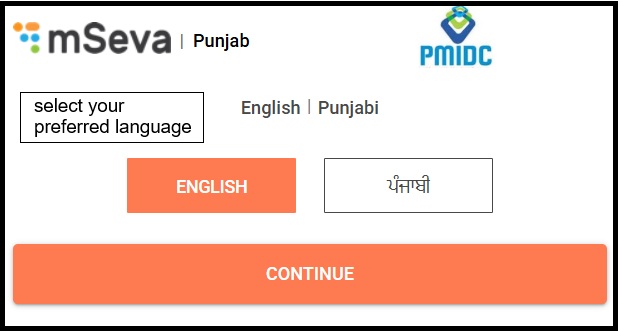
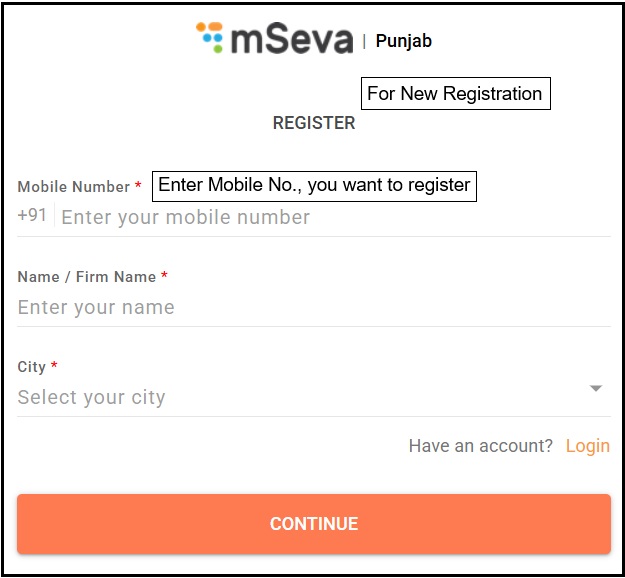
- Enter your full name and mobile number.
- Pick your city/ULB (urban local body) from dropdown.
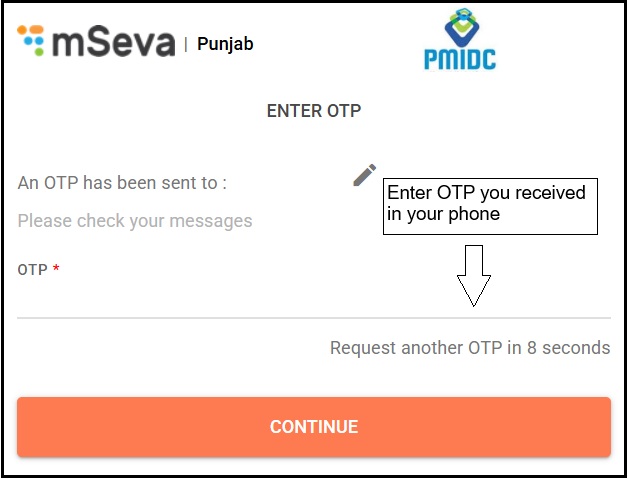
- Get OTP on phone, enter it to verify.
How To Apply For New Water Or Sewerage Connection
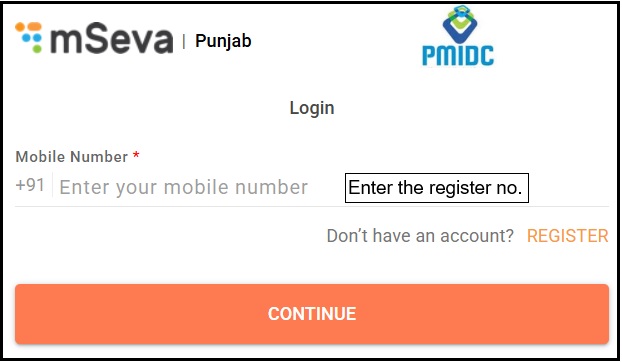
- Go to Login , enter mobile number, get/verify OTP to login.
- Select "New Water Connection" or "New Sewerage Connection" from services menu.
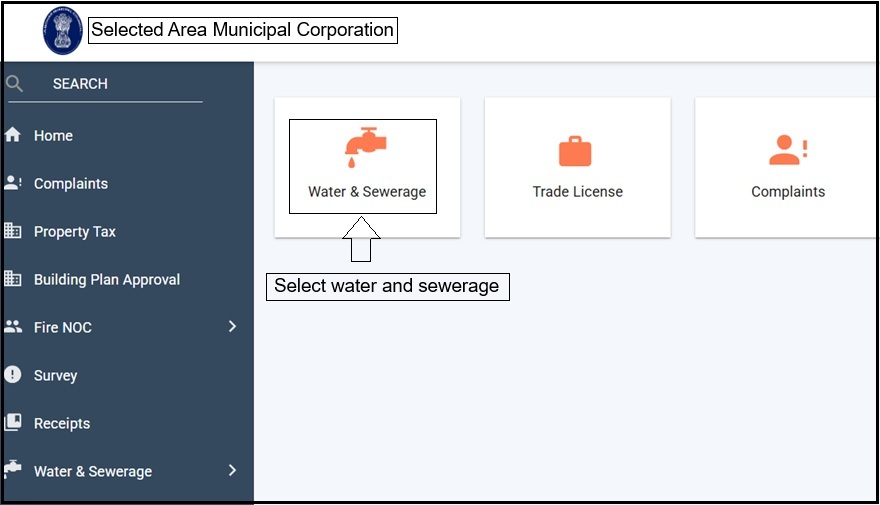
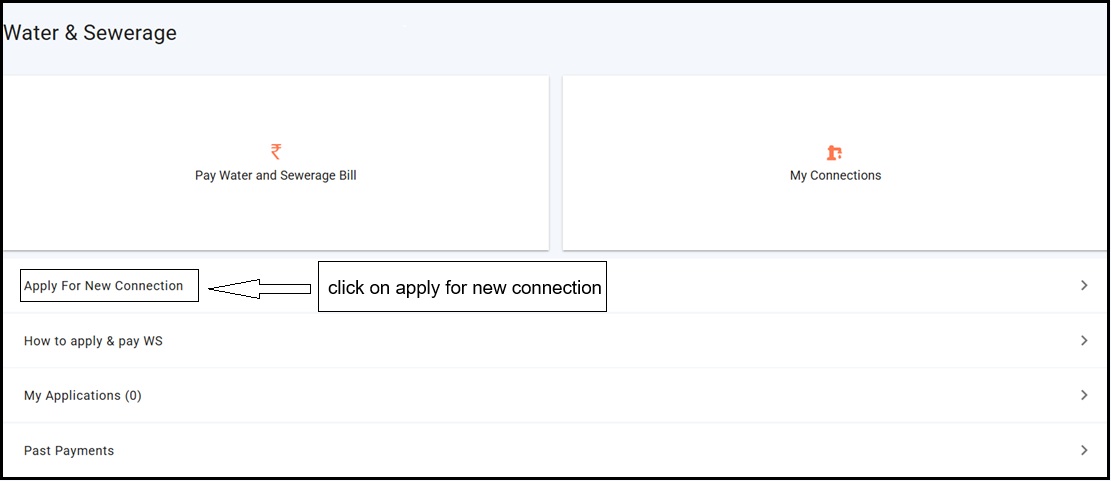
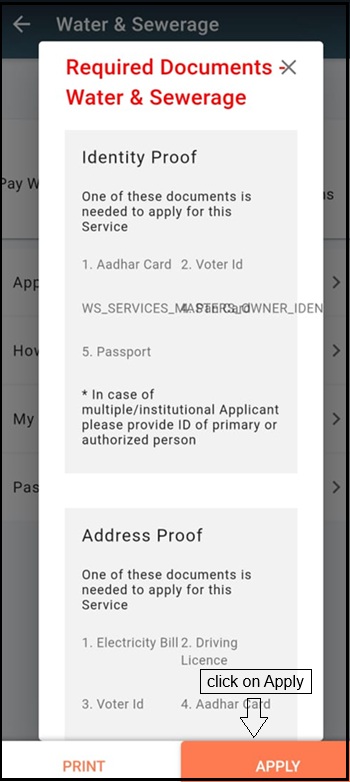
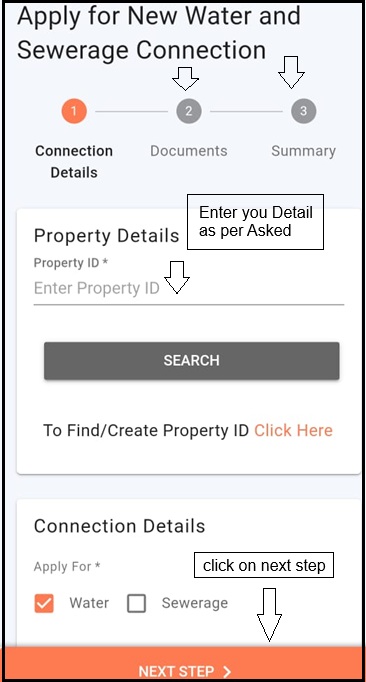
- Fill Application/Upload Documents: Submit required documents (ID proof, ownership proof, etc.) digitally.
- Pay Fees: Pay the applicable fees online.
- Track: You can often track the application status online.
How to Lodge a Complaint on a mSeva Portal
The mSeva is specifically designed for the public,where public can also submit and track grievances related to urban municipal services.
- Go to Login , enter mobile number, get/verify OTP to login.
- Navigate to the Grievance Section.
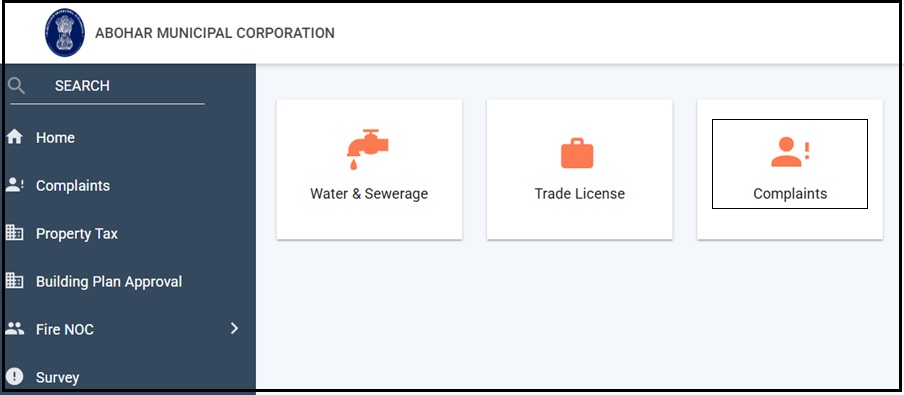
- Click on the option to File Complaint .

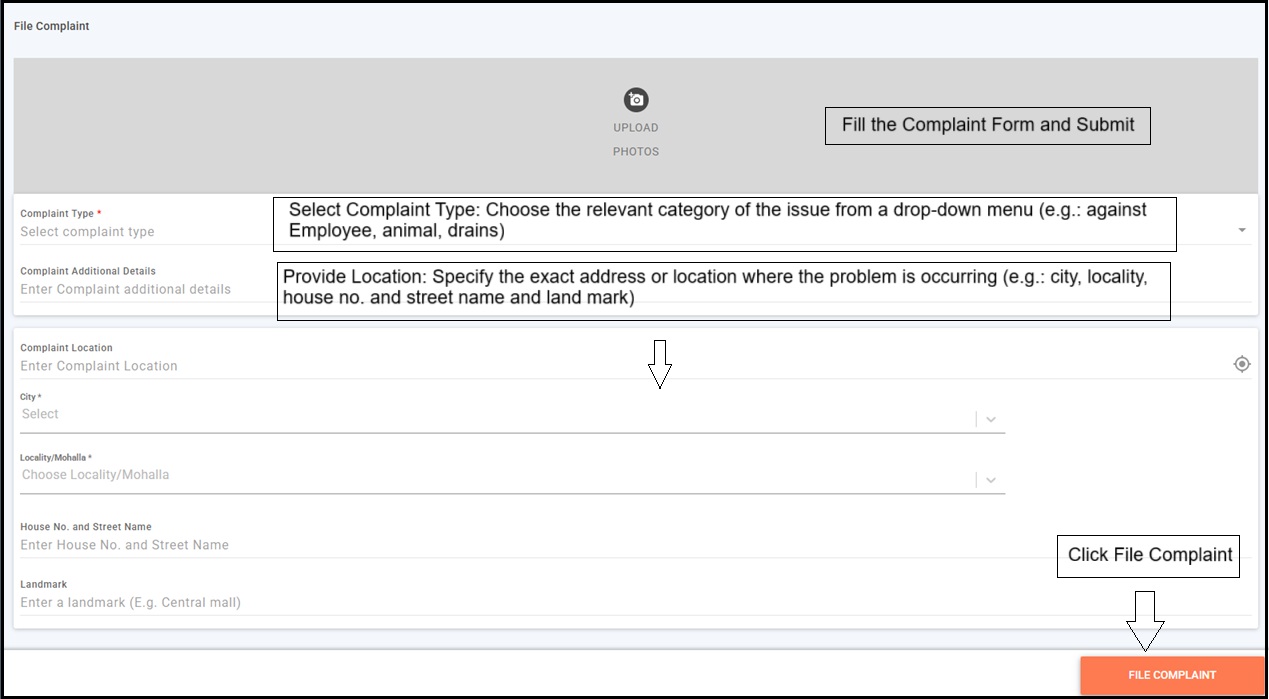
- Fill the Complaint Form and Submit
- Select Complaint Type: Choose the relevant category of the issue from a drop-down menu (e.g.: against Employee, animal, drains) and additional detail if any.
- Provide Location: Specify the exact address or location where the problem is occurring (e.g.: city, locality/mohalla, house no. and street name and land mark).
- You may be able to upload supporting documents or photographs, if required.
- Submit: Click the "File Complaint" button to lodge your complaint
- Tracking Updates: You can monitor the progress of your complaint by navigating to the My Complaints section of your account dashboard
How to Lodge a Complaint mSewa App
- Download/Install: Punjab mSewa .
- Register/Log In: Use your mobile number, name, and city details to register and then log in.
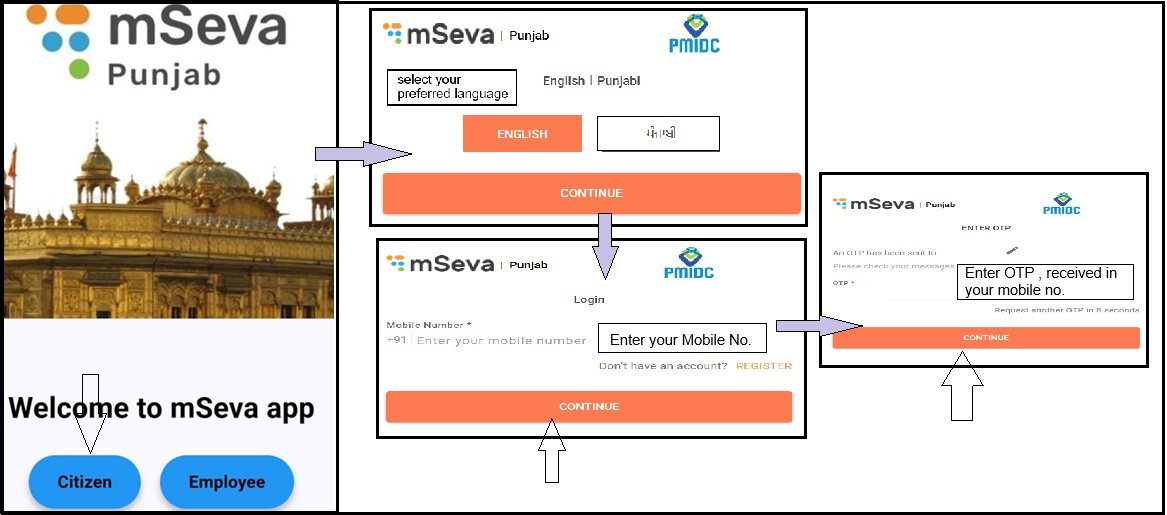
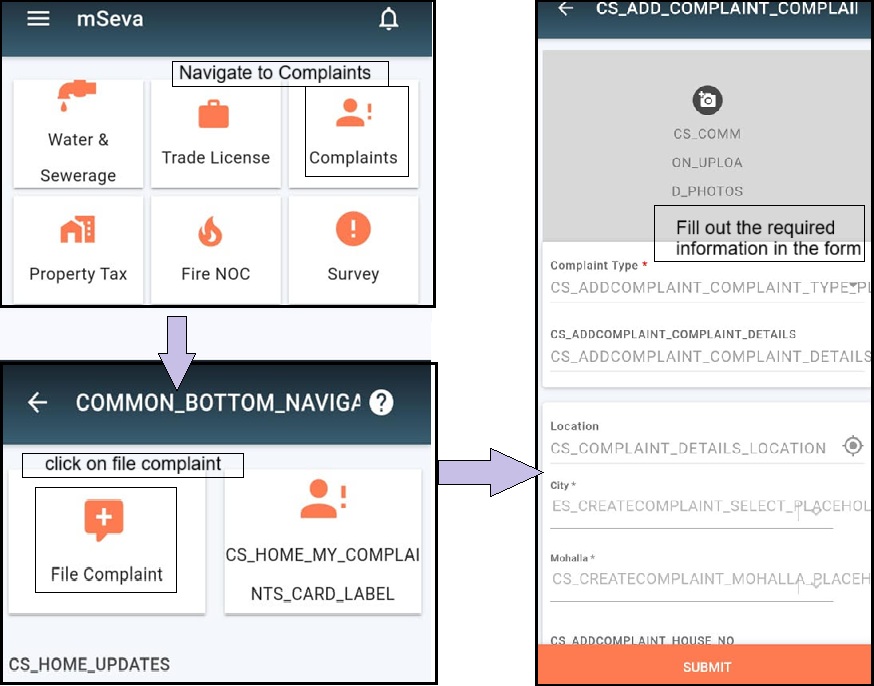
- Navigate to Complaints: Within the app menu or dashboard, tap on the "Complaints" or "Register Grievance" option.
- Submit Details: Fill out the required information in the form, including the type of issue, location, and a description, You can also upload photos of the problem.
- Track Status: After submitting, you can receive regular updates and track the status of your complaint directly within the "My Complaints" section of the app.
Address
Punjab Municipal Bhawan,
3, Dakshin Marg, 35A,
Chandigarh, 160022


