International Numbers:
+91 11 26885021 (For International Support, Mon-Fri, 8am-8pm)
+91 11 40503090 (Alternate International Support)
Email
- helpline [at] mea [dot] gov [dot] in (For Helpdesk Support)
Important Link
Regional Migrant Resource Centres (MRCs) Centres
Email: helpline [at] mea [dot] gov [dot] in
Timing: 10am-5pm (For Counselling/Complaint)
| Sr No. |
Centre |
Contact Detail |
Language |
| 1 |
MRC Kochi |
0484-2314900, 0484-2314901 |
Hindi, English, Malayalam |
| 2 |
MRC Hyderabad |
7306763482 |
Hindi, English, Telugu |
| 3 |
MRC Chennai |
044-65252514 |
Tamil, English |
| 4 |
MRC Lucknow |
0522-4954646 |
Hindi, English |
| 5 |
PBSK Delhi |
1800113090 , 011-26885021, 011-23072536 |
Hindi, English, Telugu, Tamil, Malayalam,
Kannada, Marathi, Gujarati, Bengali, Oriya |
| 6 |
IWRC Dubai |
180046342
help [at] iwrcuae [dot] in |
Hindi, English, Malayalam, Tamil, Telugu |
How to Register on the MADAD Portal
- Step 1: Access the MADAD Portal :
- Step 2: Enter Personal Information :
- Fill in the required details carefully : Given Name, Surname, Date of Birth, Mobile Number and Email ID (must be active)
- Step 3: Create Login ID:
- Choose whether you want to use your Email ID as the Login ID.
- If you choose not to use the email as Login ID, create a separate Login ID and check its availability.
- Step 4: Create Password:
- Set a password as per the instructions displayed on the portal.
- Step 5: Select Security Question
- Choose a security (hint) question, enter the answer carefully.
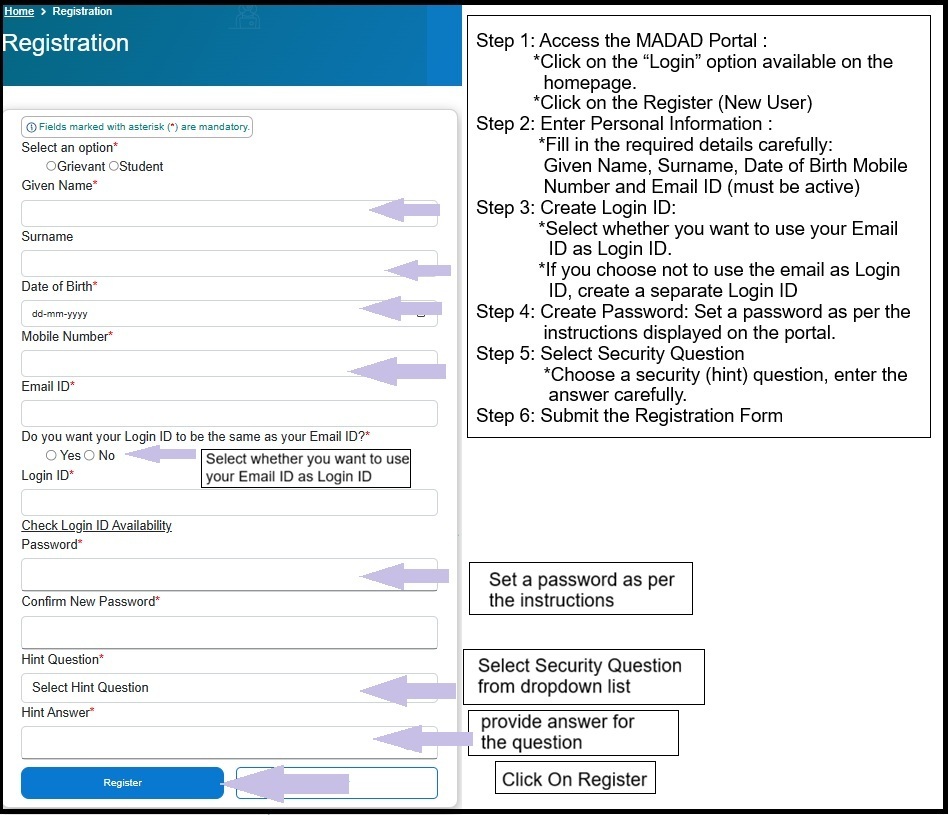
- Step 6: Submit the Registration Form.
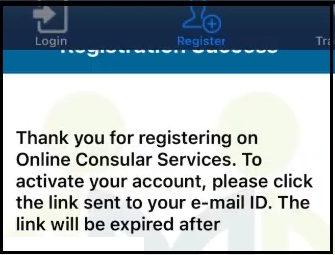
- Step 7: Activate Your Account
- An account activation link will be sent to your registered email ID.
- Open the email and click on the link to activate your MADAD account.
How to Register Indian Students Abroad on the MADAD Portal?
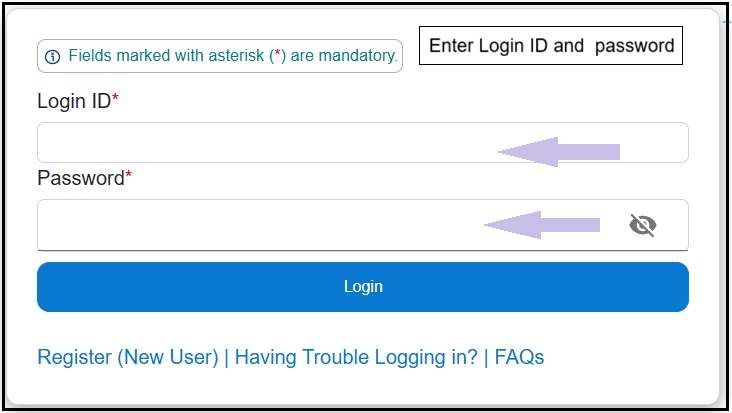
- Visit MADAD Portal :
- Click on the “Login”→Enter your Login ID / Email ID→Enter your Password.
- Select “Student Registration”
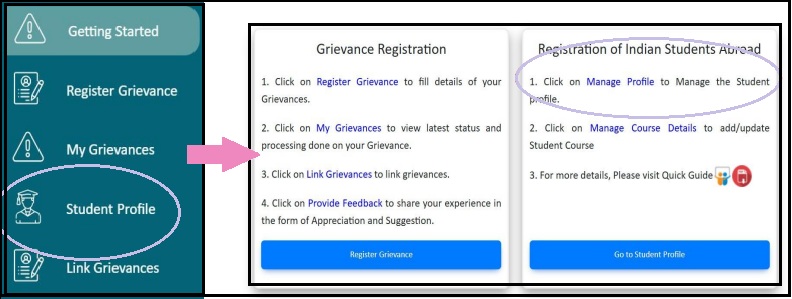
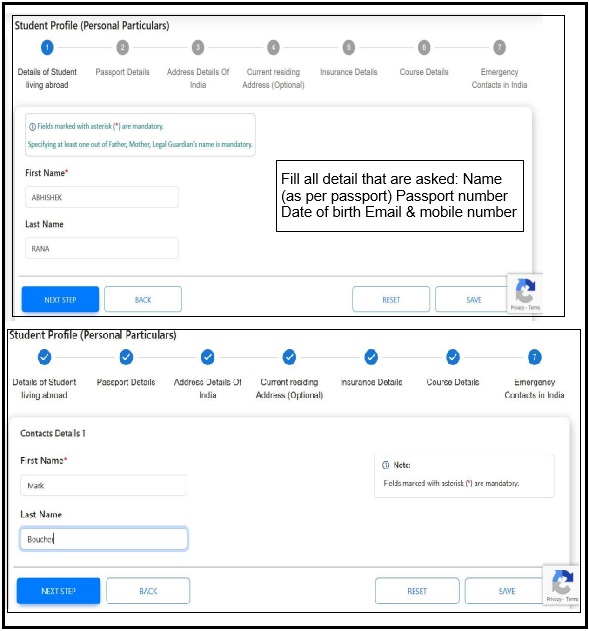
- Enter Student Details
:
- Name (as per passport),
Passport number,
Date of birth,
Email & mobile number .
- Enter Study Details:
- Country of study,
University / institution name,
Course name & duration .
- Enter Address Abroad:
- Residential address
Contact details (if available)
- Click Submit
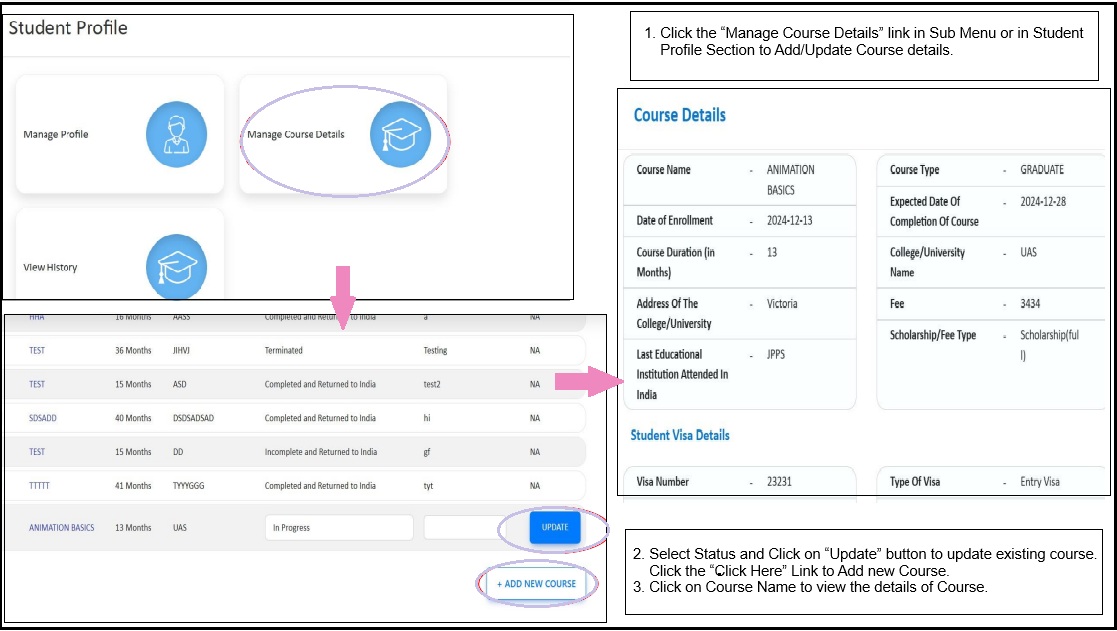
- Manage / Update Profile
- After login→Go to Student Profile→Manage Course Details→ Update study details.
- For any student's educational matters and marital disputes you can mail at diroia2 [at] mea [dot] gov [dot] in .
Steps To Register Complaint
Step 1
Step 2
- If your query is not resolved within 7-15 days, you may lodge a complaint through the MADAD Portal by following the steps given below:
- Step 1: Visit MADAD Portal :
- Click on the “Login”→Enter your Login ID / Email ID→Enter your Password.
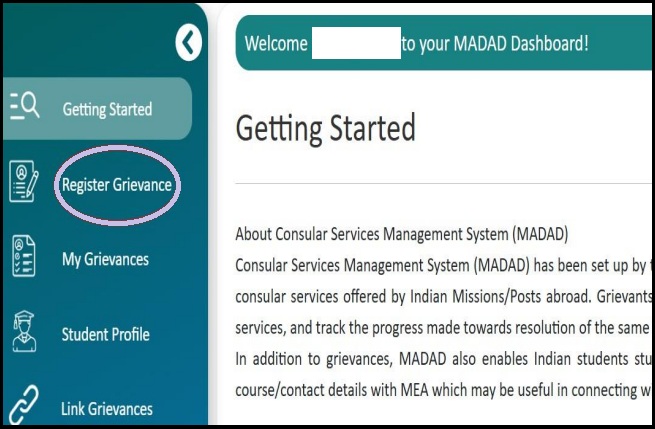
- Step 2: Select Register Grievance .
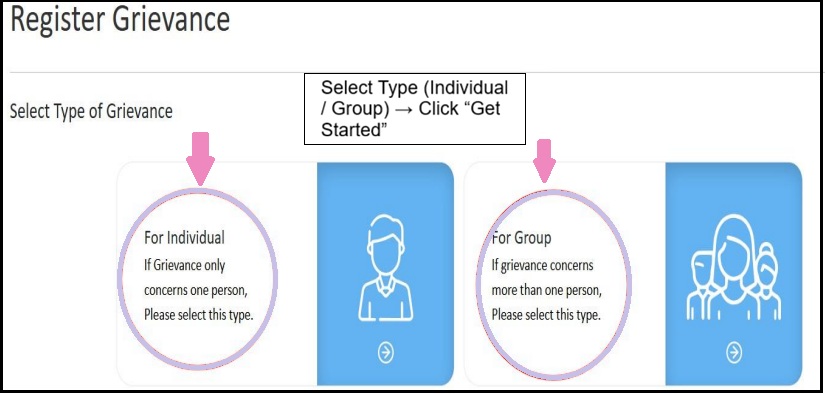
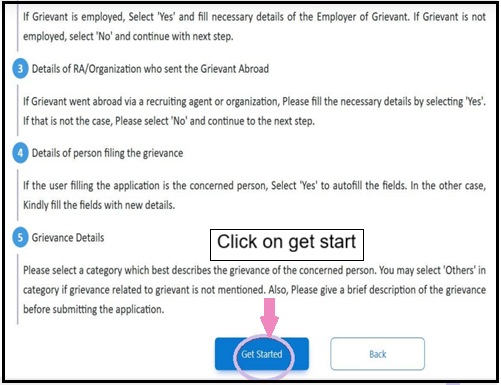
- Select Type (Individual / Group) → Click “Get Started”
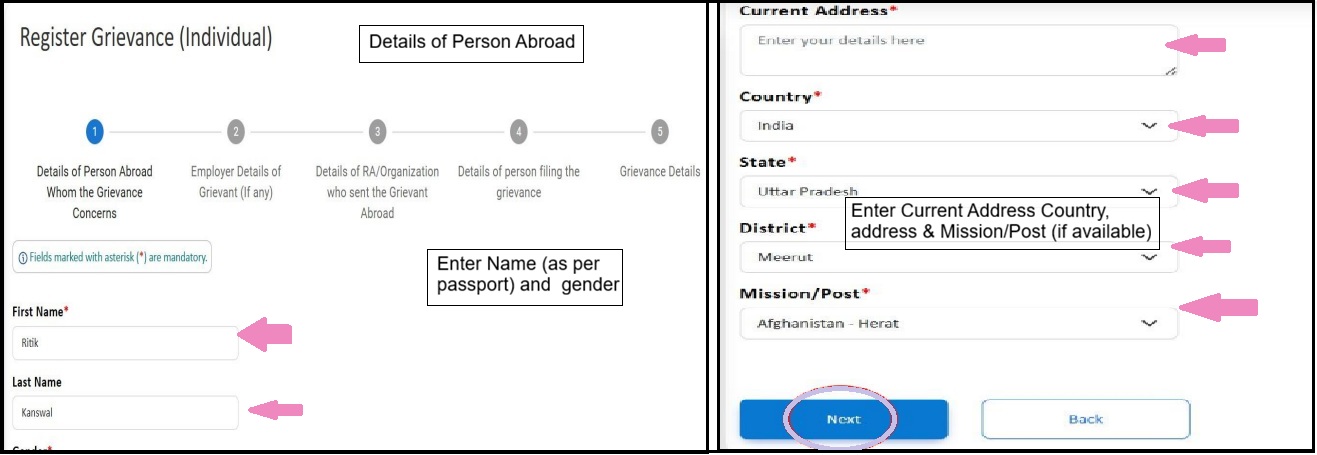
- Step 3: Details of Person Abroad
- Name (as per passport),
Passport number,
Country, address & Mission/Post.
- Step 4: Employer Details (If Any)
- Step 5: Recruiting Agent / Organization Details
- Name of RA / agency / organization,
Registration number & address
(If the person was sent abroad through an agent)
- Step 6: Details of Person Filing the Complaint
- Step 7: Grievance Details:
- Brief but clear description of the problem,
Date and place of incident
- Upload Documents (If Available):
Passport copy,
Visa or contract.
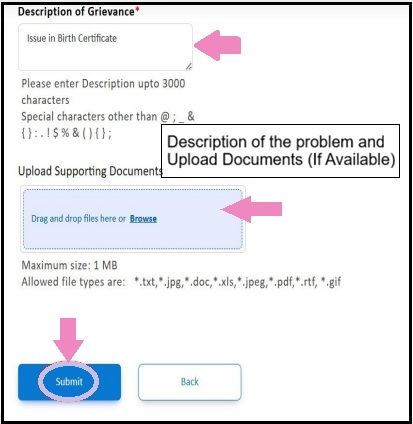
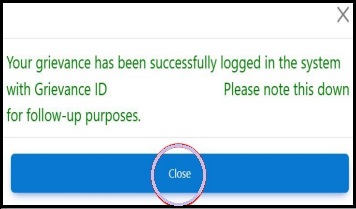
- Step 8: Submit the Grievance
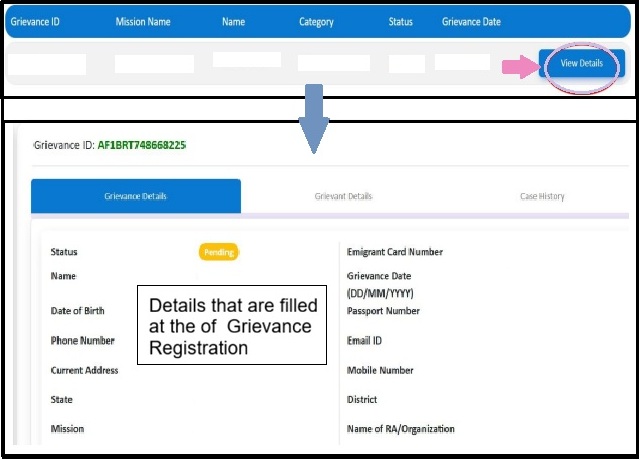
- Note the Grievance ID for tracking
- Step 9: Track Status:
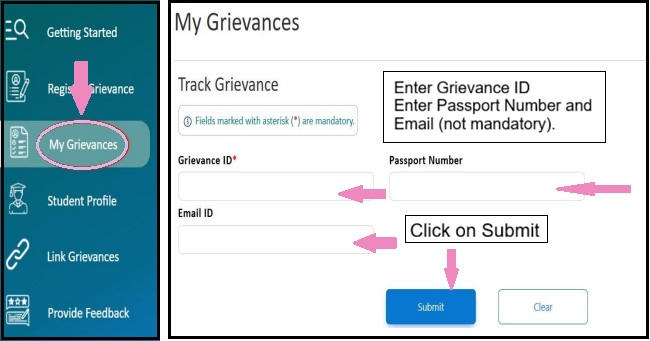
- Click on "My Grievance" in sidebar to Track Grivance.
- Enter Grievance ID
- Enter Passport Number and Email (not mandatory).
- Click on "Submit".
Step 3
- If you query is still not resolved within 30 days or you're not satisfied with the resolution given above, you may escalate your complaint to the Ministry of External Affairs (MEA) .


 on MADAD.jpg)

