Please enable Javascript in your browser. You will not be able to use some features!
India
Customer
Care
Contact Us
Follow us on:
Home
›
G
› SMART ODR Portal Contact No. 81051 48710
SMART ODR Portal Contact No. 81051 48710
Updated on Saturday, 17 October 2026 - 11:29am
All India Number(s):
81051 48710 (For Contact Support, Mon-Fri, 10am-5pm)
Website:
Official Website
Email
help
[at]
smartodr [dot] in
(For Helpdesk Support)
Important Link
Help Center
How to Register on SMART ODR
Required Documents: While filing a complaint, you may need the following documents
PAN, registered mobile number, email ID and address
Client ID, demat account number or folio number
Copy of your complaint to the market participant and its reply
SCORES complaint number, if you filed on SCORES
Supporting proof such as contract notes, statements, emails or screenshots
How to Register on SMART ODR
Visit the
SMART ODR official website
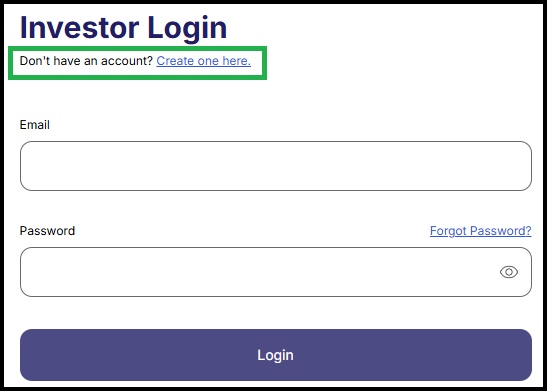
and click
Login
.
Click
“Don't have an account? Create one here.”
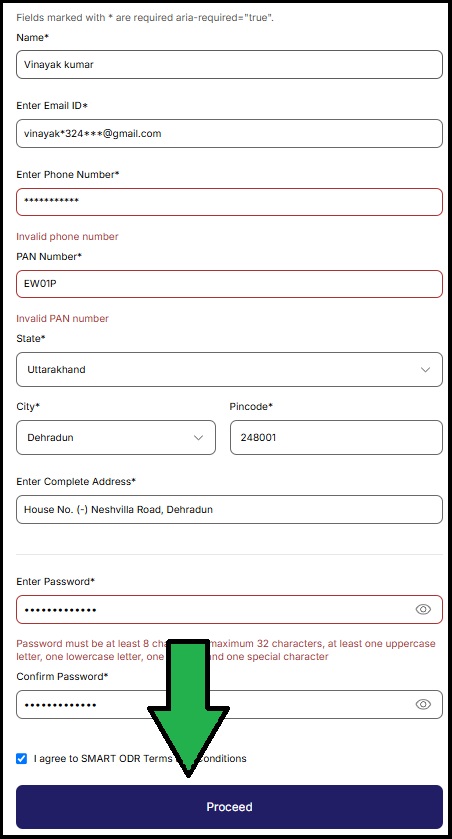
Fill in your name, email ID, mobile number, PAN, state, city, PIN code and address, and create a password.
Accept the terms and conditions and click
Proceed
.
How to File a Dispute on SMART ODR
Log in to your account on the
SMART ODR login page
.
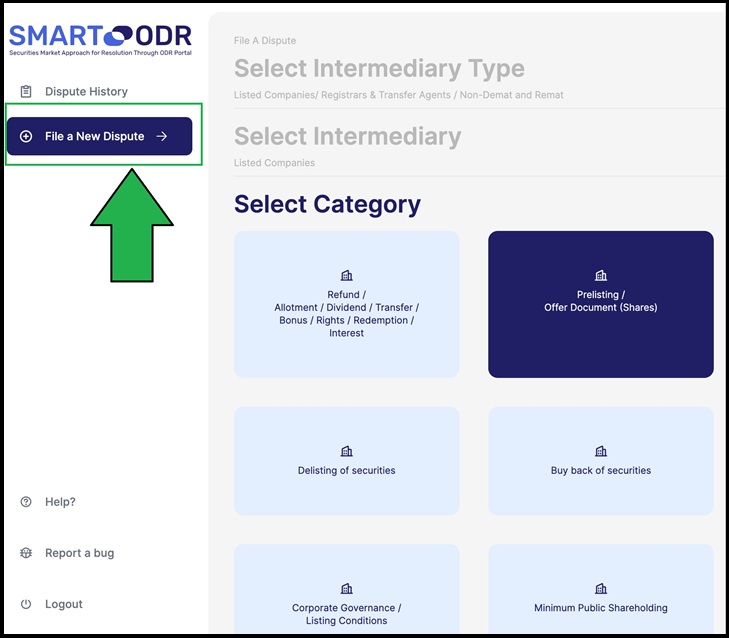
Click
File a New Dispute
in the left menu.
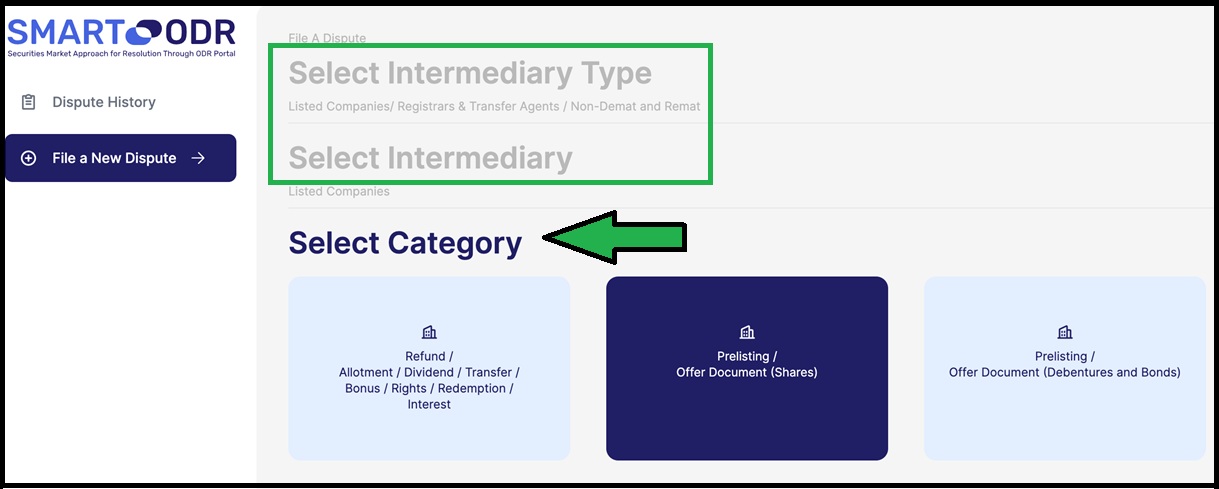
Select the
Intermediary Type
and the
Intermediary
you want to file against.
Select the
Category
of your dispute.
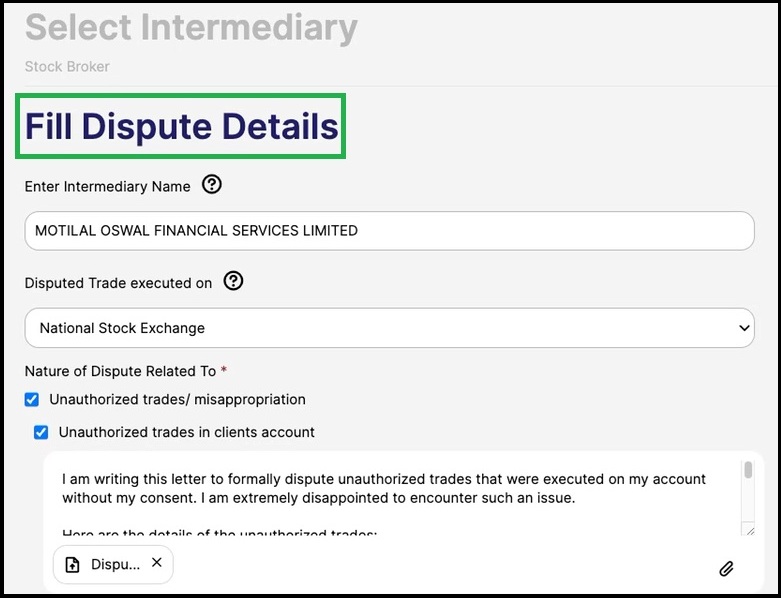
Fill in the dispute details, upload supporting documents and click
Proceed
to register your dispute.
How to Track Your Dispute on SMART ODR
Log in to your account on the
SMART ODR login page
.
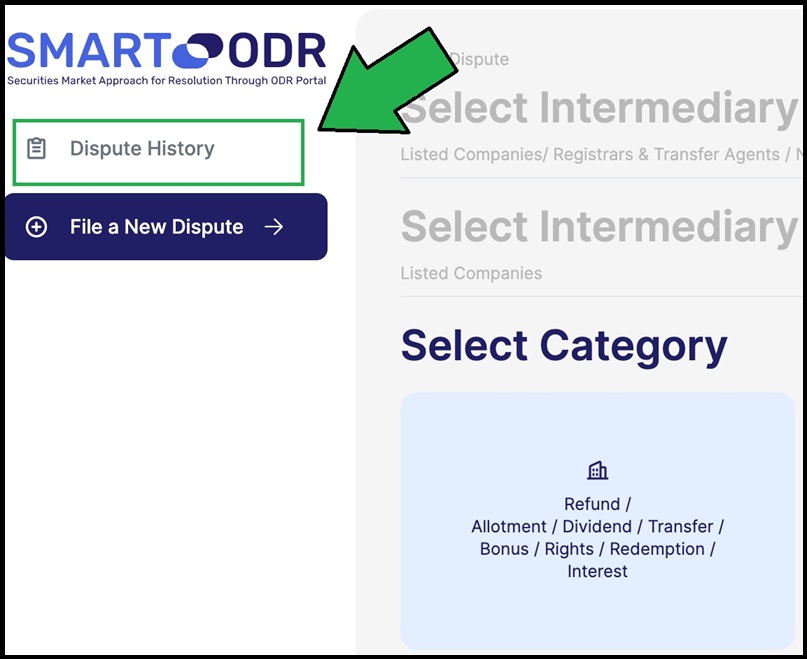
Click
Dispute History
in the left menu and open your dispute to check its status.
What to Do After Filing Your Dispute
Check your SMART ODR Dispute History and registered email regularly for updates.
Respond to requests and participate in pre-conciliation. The settlement process may take up to 21 days.
If a settlement is reached, sign the agreement online and follow its terms.
Also See:
Securities and Exchange Board of India (SEBI) Contact No.
G
Stock Market/Trading
Add new comment
Facebook Like
Google Plus One
Tweet Widget